
Contents
Check which heating element needs replacing
Before you start
Tools required
Instructions
Check which heating element needs replacing
The P3000 has three independent heating elements. If you notice that the roaster is struggling to reach the correct inlet temperature, one of the elements might need replacing.
To find out which element needs replacing, check the individual inlet temperature readings in your logs or in the debug sensors view while the heaters are active. If an element has failed, then the readings for one pair of inlet temperature sensors will be lower than the rest.
The heating elements and inlet sensors are designated 'Port', 'Center', and 'Starboard'. While looking at the roaster from the front, the port-side element is on your right-hand side, and the starboard side is on the left.
Before replacing the element, first try cooling down the machine fully and then restarting the machine. Each heating element has a resettable fuse that can be triggered for safety reasons if the temperature in the heating chamber gets too high (for example, if there is a problem with the airflow). If this happens, then cooling down the machine may be enough to reset the fuse.
 Ensure that there are no obstructions to the airflow before restarting the roaster.
If cooling down the machine does not reset the heating element, or if the same resettable fuse has triggered more than once, then proceed to replace the heating element following the instructions below.
Before you start
DISCLAIMER
The information in this document is believed to be accurate and reliable. However, the manufacturer does not give any representations or warranties, expressed or implied, as to the accuracy or completeness of such information and shall have no liability for the consequences of the use of such information. The manufacturer is not liable or responsible for any problems arising from the attempted repair. The manufacturer reserves the right to make changes to information published in this document, including without limitation specifications and product descriptions, at any time and without notice. The manufacturer's products are not designed, authorized, or warranted to be suitable for use in applications where failure or malfunction can reasonably be expected to result in personal injury, death, or severe property or environmental damage. The manufacturer accepts no liability for inclusion and/or use of its products in such equipment or applications and therefore such inclusion and/or use is for the customer’s own risk.
SAFETY INSTRUCTIONS
-
Make sure the roaster is turned off before starting any maintenance work.
-
The power cord must be unplugged or the roaster fully isolated from the electrical supply before removing any panels.
-
Read the instructions in full before starting work, and follow the steps as instructed below
Tools required
- Flat-head screwdriver, coin, or similar, to open front door
- 2.5 mm hex key
- 3 mm hex key
- Small screwdriver or other pointed tool, to
- Wire cutter
- Small cable ties
- Pliers (ideally needle-nosed pliers)
Instructions
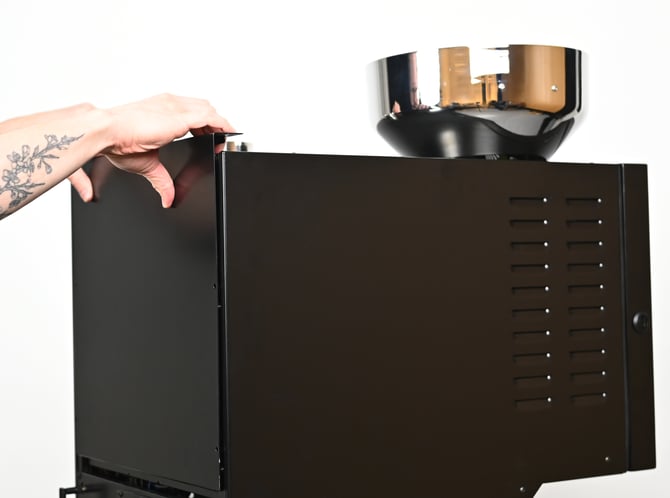
Remove the rear panel
Remove the bolts securing the rear panel using a 2.5 mm hex key. Lift the panel up to remove it and set aside.
Disconnect the heating element
Each heating element is attached to two solid-state relays (SSRs) with black cables (live), and to the terminal blocks with a single blue cable (neutral). Check which heating element you are replacing (remember 'Port' is on the left-hand side when you are looking at the back of the roaster) and locate the cables connecting it.
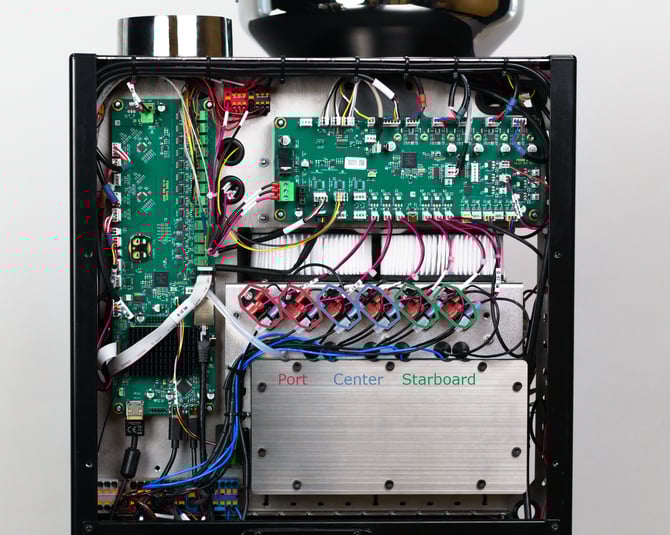
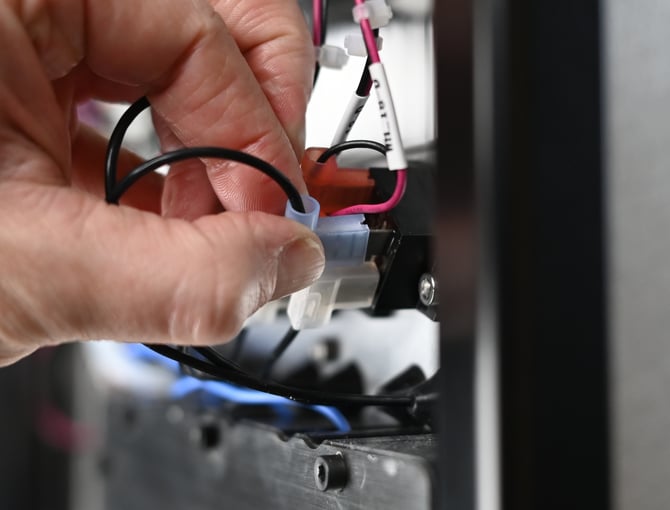
The two black cables are attached to the SSRs with spade connectors. Pull the connectors firmly to disconnect them.
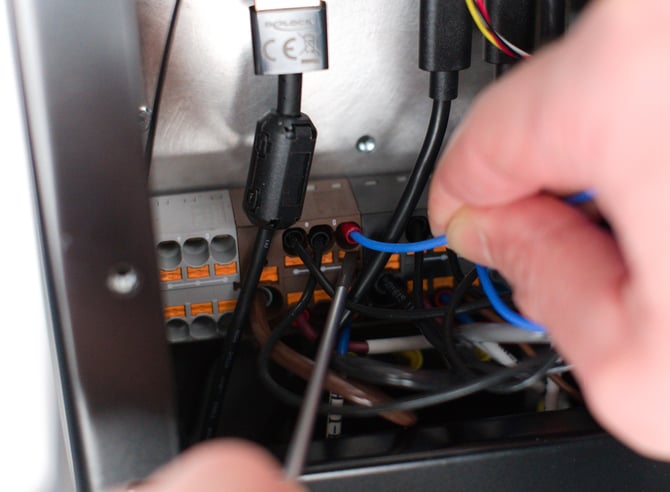
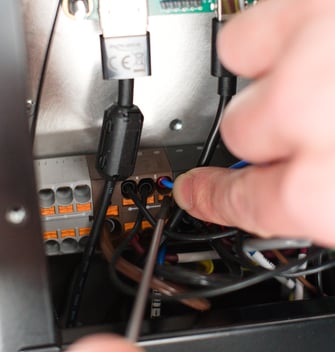
Next, follow the blue cable down to the terminal block to find which slot it is connected to. NB: Make a note of which slot the cable is connected to. To remove the cable, use a small screwdriver or other pointed tool to push in the orange release button directly below the cable. While the button is pushed in, gently pull out the blue cable.
Cut cable ties as needed to free the wire, being careful not to damage the insulation on any other wires.
Remove the heating chamber cover
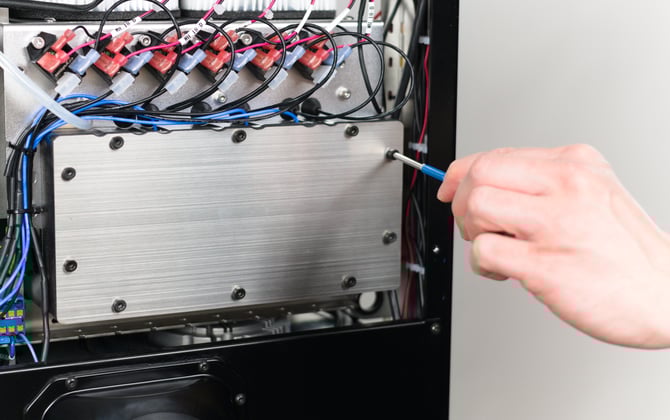
Use a 3 mm hex key to remove the ten bolts securing the cover.
Pull through the heating element cables
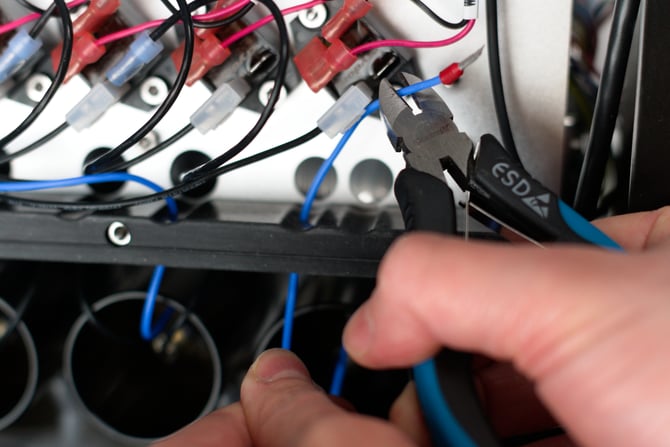
Cut the ferrule off the end of the blue cable and pull the cable out through the hole in the heating chamber gasket.
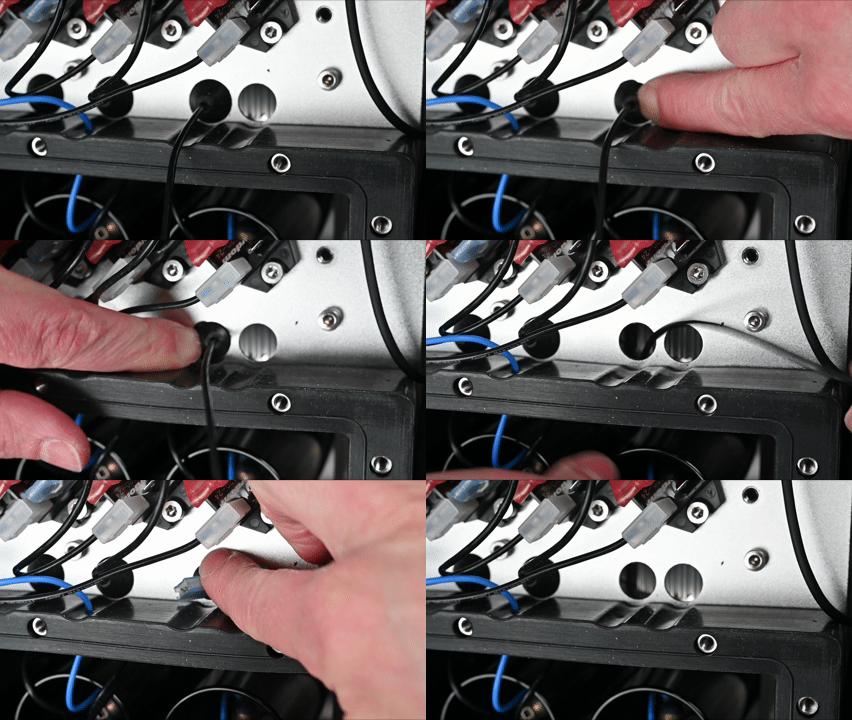
Each black cable passes through a hole into the heating chamber. It is held in place in the hole with a rubber grommet. Push the grommet through the hole into the heating chamber, and then pull the black wires and connectors through the hole from the far side.
Remove flow meter housing
The flow meter housing is the tube positioned in front of each heating element. On the lower side of the housing, you can see two clear plastic tubes connected to the flow meter. Gently pull these off to disconnect them.

The housing is held in place with 4 bolts and washers. Remove the bolts with a 3 mm hex key. Take care not to lose the washers.
You can now pull out the flow meter housing and the mica heating element gasket.
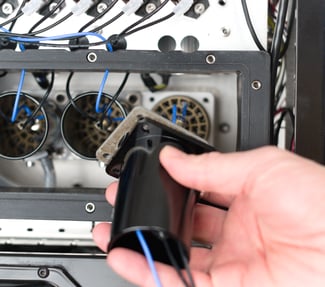
Replace heating element
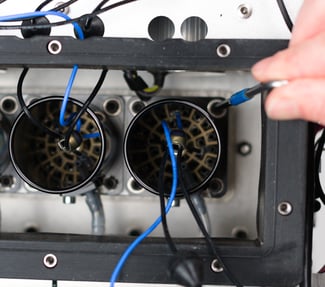
You can now pull the heating element out from its socket, and insert the replacement.
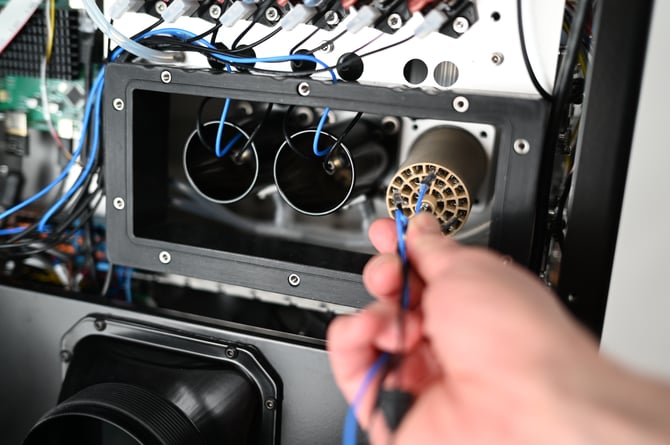
Reinstall flow meter housing
Pull all three heating element wires back through the centre of the gasket and flow meter housing. Put the mica gasket and flow meter housing back into place and loosely attach with the 4 bolts and washers. Ensure the flow meter is positioned at the bottom.
The three larger washers should be positioned with the ridged side facing towards the head of the bolt. The smaller washer is for the bolt on the bottom right.
You might find the easiest way to put the housing into place is to start by putting one bolt (with its washer in place) through both the housing and gasket, insert a hex key into the bolt, and use the hex key to insert the bolt into place. Once the first bolt is in, the others can be inserted more easily.
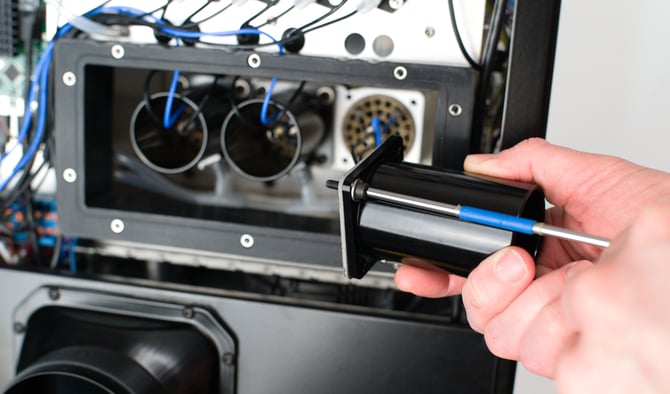
Once all 4 bolts are loosely in place, go round and tighten each bolt a little at a time, until all 4 bolts are finger-tight. Avoid over-tightening the bolts.
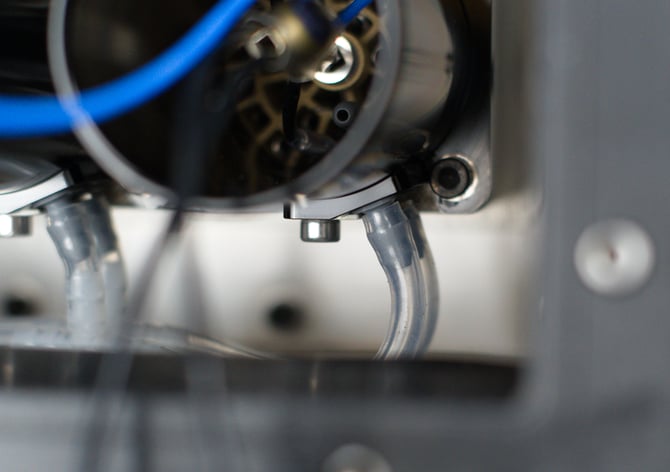
Reattach the flow meter tubing. Ensure that each tube is connected to the correct side of the flow meter.
Reconnect heating element
First, attach the neutral cable. Pull the blue wire from the heating element back through the hole in the heating chamber gasket. Start buy pushing the ferrule attached to the end of the cable into the hole from the underside. Once the top of the ferrule is visible, grab it with pliers if needed to pull it through the gasket. Then pull the rest of the wire through.
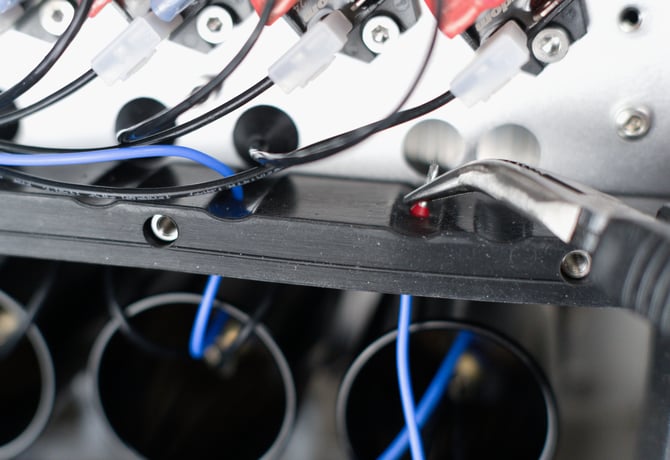
Pass the blue wire behind the pressure sensor tubing along with the other cables, and then connect it back into the same slot that the previous element was connected to. Push the orange button firmly with a small screwdriver or other pointed tool. Push the cable end firmly into the slot. Release the orange button, and it should pop back into place. Gently tug on the cable to ensure it is attached firmly.
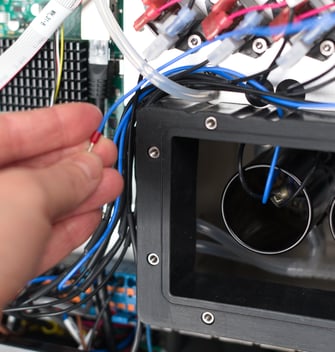
Next, attach the live cables. Pass the connector for each black cable through the holes in the heating element chamber from the far side. Push each rubber grommet into the hole from the rear, and ensure that it is properly seated on all sides. If there is any additional slack in the black cable, take up the slack by pulling the cable through the grommet.
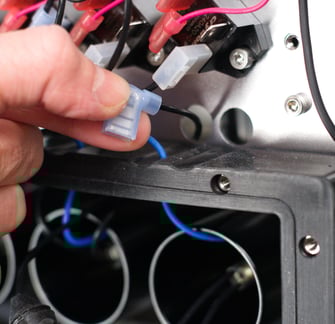
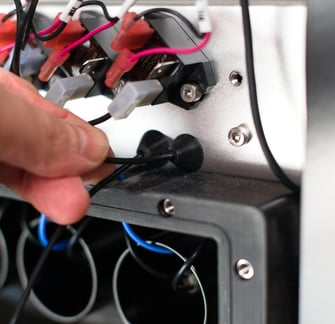
Re-attach the spade connectors by pushing them firmly into place on the SSRs. It doesn't matter which cable connects to which of the two SSRs for each heating element.
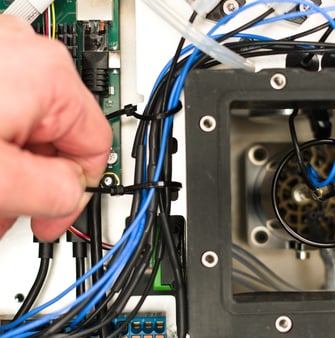
Finally replace the cable ties that were securing the blue cable in place. Ensure that all the cables are positioned on the correct side of the bracket — the cables should all run along the outside of the bracket.

Reinstall the heating chamber cover
Put the cover back into place and secure loosely with the ten bolts, using the 3 mm hex key. Ensure the cover is in the correct orientation — the cut-outs on the cover should line up with the shape of the gasket.
Once all the bolts are in position, gradually tighten the bolts on alternate sides in a cross-wise pattern, until all ten bolts are finger-tight.
Reinstall back panel
Slot the back panel into place and secure with the 6 bolts, using the 2.5 mm hex key.
Finish up
Once all panels are back in place, reconnect and switch on the roaster, and enable the heating elements. To confirm everything is installed correctly, optionally go to the Debug sensors view and check that the inlet temperatures and power usage of the newly installed heating element are similar to those of the other two elements.