
Contents
When to tare
When to tare
Calibrate the pressure sensor on L200 ULTRA if you remove the tubes and see that the pressure reading on the display is not 0 Pa. Make sure the roaster is completely cold before taring, as temperature affects the sensor reading.
Before you start
 DISCLAIMER
The information in this document is believed to be accurate and reliable. However, the manufacturer does not give any representations or warranties, expressed or implied, as to the accuracy or completeness of such information and shall have no liability for the consequences of the use of such information. The manufacturer is not liable or responsible for any problems arising from the attempted repair. The manufacturer reserves the right to make changes to information published in this document, including without limitation specifications and product descriptions, at any time and without notice. The manufacturer's products are not designed, authorized, or warranted to be suitable for use in applications where failure or malfunction can reasonably be expected to result in personal injury, death, or severe property or environmental damage. The manufacturer accepts no liability for inclusion and/or use of its products in such equipment or applications and therefore such inclusion and/or use is for the customer’s own risk.
SAFETY INSTRUCTIONS
-
Make sure the roaster is turned off before starting any maintenance work.
-
The power cord must be unplugged or the roaster fully isolated from the electrical supply before removing any panels.
-
Read the instructions in full before starting work, and follow the steps as instructed below
Tools needed
2 mm hex key
Taring the pressure sensor
Loosen the four screws located in each corner of the top plate and lift the plate off.
Follow the guide on how to remove the top plate.
Locate the pressure sensor tubes
Locate the tubes connected to the pressure sensor on the PCB. Make note of the orientation of the tubes or take a photo for reference.
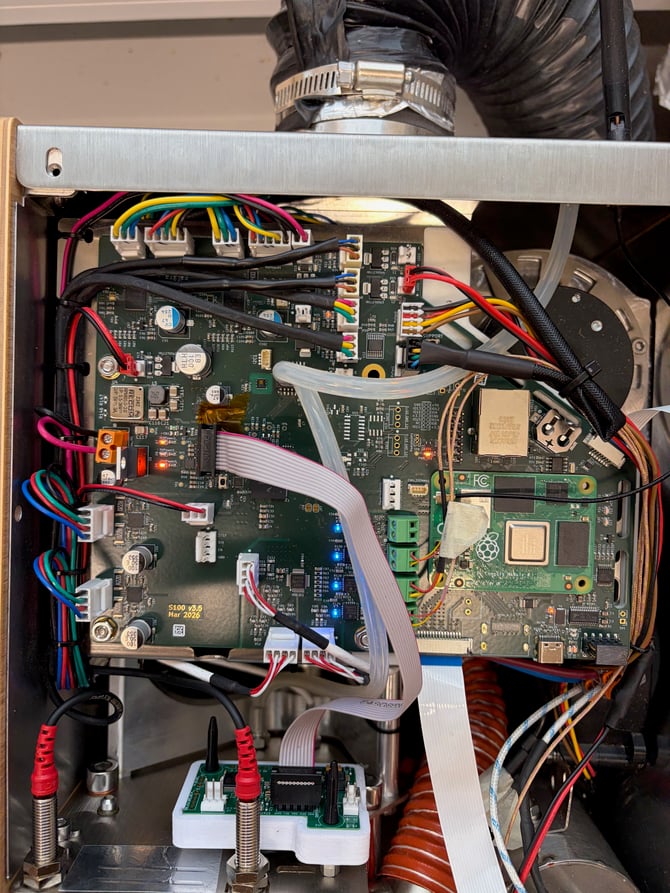
Disconnect both tubes from the PCB.
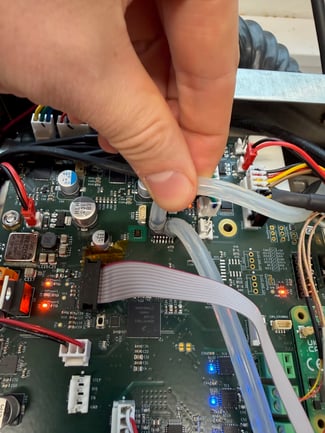
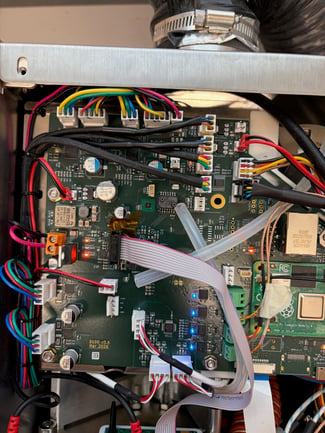
Tare the pressure sensor
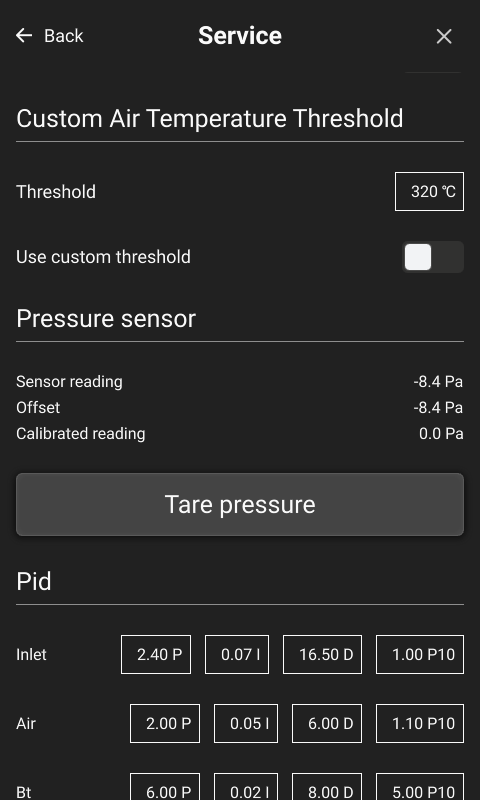
Turn the machine on. In the settings menu, go to Service and scroll down to the Tare pressure button. Press Tare pressure, then reconnect the tubes to the sensor.
Finishing up
Put the top plate back on and fasten it with the four screws.