
The 200-series machines from ROEST include the S200, L200 Plus, and L200 Ultra. These are advanced machines with a lot of features. But roasting a batch for the first time is very simple. Roast coffee in just six steps!
Steps
1. Close the drop door to begin preheating the roaster
2. Select a profile
3. Load beans into the hopper and charge
4. Mark first crack
5. End roast automatically
6. Lift the drop handle to turn off the heater
7. Open the drop door to cool down the roaster
1. Close the drop door to begin preheating the roaster
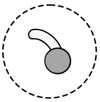 |
When the drop handle is in the downwards position, the door is closed and the roaster will start heating up. You can start roasting right away, or wait for the drum to warm up and the temperature to stabilise for more consistent results. |
Do not load beans while the drop door is open or while a batch is already roasting. When the drop door opens at the end of the roast, any green beans in the hopper will drop into the cooling tray or to the side of the roaster. Only load the next batch into the hopper after the previous batch is complete.
2. Select a profile
The top bar on the touchscreen dispays the currently selected profile. To choose a profile, tap on the profile name, and then choose a profile from the list.
3. Load beans into the hopper and charge
|
|
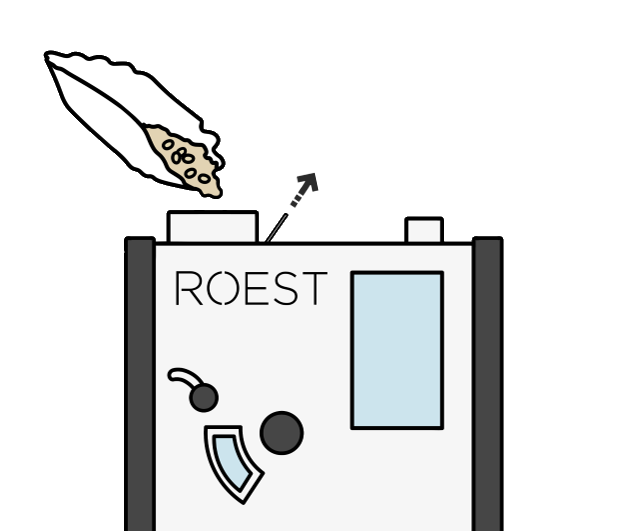
The default profiles are all designed for 100-g batches. Weigh out 100 g of green coffee, and pour it into the hopper. Start the roast by pulling the charge handle to 'charge' the beans (load them into the drum). Let go of the handle when all the beans are in the drum. The roast will start automatically. |
4. Mark first crack
|
|
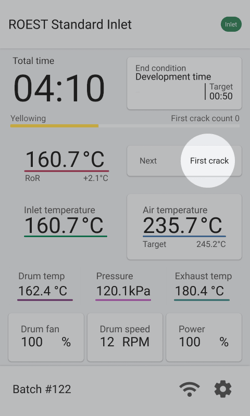
Towards the end of the roasting time you will hear the popping sounds of first crack. When you hear first crack, mark it manually by tapping on 'First crack' on the touchscreen. The L100 Ultra features automatic first crack detection, but by default this is not enabled. Learn more about first crack detection here. |
5. End roast automatically
|
|
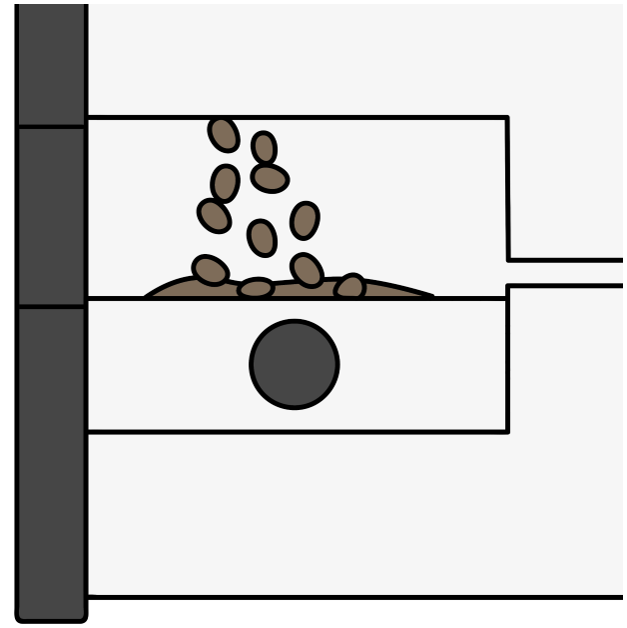
After marking first crack, the roaster will count down the development time, and then end the roast and drop the beans into the cooling tray automatically. Let the beans cool for around 90 seconds before removing them from the cooling tray. You can start roasting the next batch while the previous batch cools. After the first batch finishes dropping, the drop door will close automatically. Once the door closes you can go ahead and roast the next batch right away. |
6. Lift the drop handle to disable the heater
|
|
If you want to leave the roaster switched on but do not need to continue roasting, you can disable the heater by lifting the drop handle. Lifting the handle will open the drop door and any beans in the drum will drop into the cooling tray. Any active roast or between-batch protocol will be aborted. If you end a roast this way, the machine will not close the door or heat up again until you close the drop door manually. |

7. Shut down to cool down the roaster
When you are finished roasting, be sure shut down the machine properly before switching it off.
Swipe down from the top of the screen to open the menu, and then tap the shutdown button  to begin cooling.
The drop door will close (if it is open) and the machine will begin cooling down.
Once the machine has cooled to below 50 °C, the 'Shut down' button will become available. Tap the button to shut down the machine.
Once the shutdown is complete, switch off the power to the roaster with the switch at the back.