
First crack detection enables L200 Plus/Ultra roasters to fully automate the roast from start to finish. The machine will mark first crack, count down the development time, and then drop the batch, all by itself.
Using first crack detection, the L200 can roast many different coffees to a similar level of development on a single profile, by ensuring every bean gets the same development time.
 Warning! The roaster must never be left unattended while hot.
Enabling first crack detection
- Swipe down from the top of the screen to open the menu, and then tap
 Settings
 - Tap on 'Roast'
- Next to 'Detection', tap on the toggle switch
 to turn first crack detection ON
First crack settings
|
|
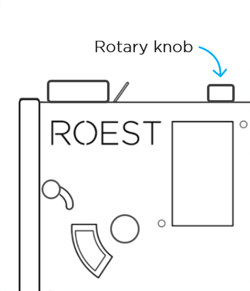
To adjust any settings, tap on the current setting in the menu and then turn the rotary knob on top of the machine to change it. |
Bean temperature threshold
Set the roaster to ignore any crack-like sounds it hears below a certain temperature.
Trigger count
The number of cracks the roaster needs to hear before marking first crack.
Sensitivity
How sensitive the algorithm is to crack-like sounds. If the roaster is recording false cracks, decrease the sensitivity slightly. If the roaster is missing cracks that you can hear, try increasing the sensitivity slightly.